
Multi-Factor Authentication (MFA): A Beginner’s Guide with Humor
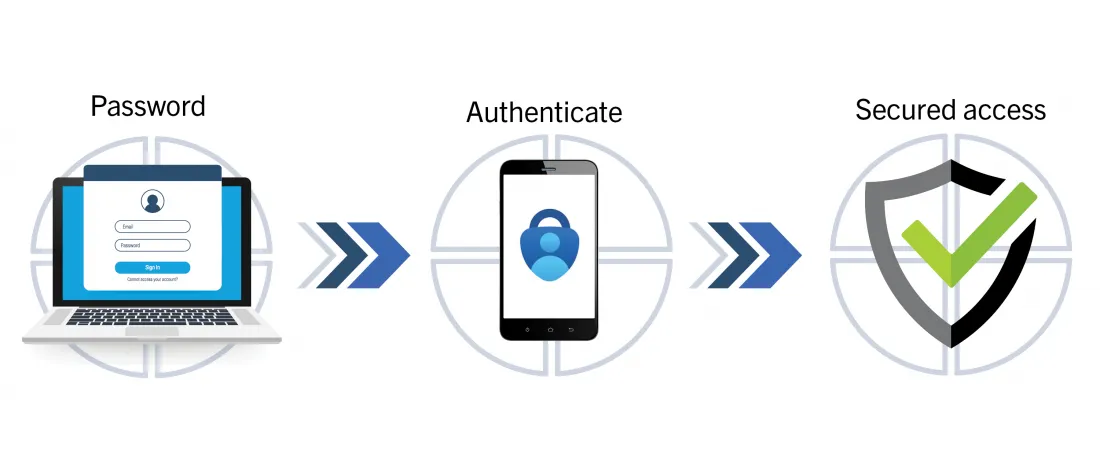
Multi-Factor Authentication (MFA) is like a bouncer at a club. First, he asks for your password, then checks if you really meant it (via an SMS code or app), and sometimes even asks to see your “face” (biometrics). Today, we’ll explore where these keys come from and how to test them. Ready? Let’s go!
The Basics of MFA: What is this Beast?
MFA requires two or three levels of verification:
- Knowledge: Password or PIN. Like a garage door code.
- Possession: Smartphone, token, or authenticator app. If stolen—you’re in trouble.
- Biometrics: Fingerprints or face recognition. Harder to fake (but not impossible).
Where to Find Keys for Testing?
When testing a web application, keys can be hidden anywhere:
- In the application code – sometimes developers forget about security and leave secrets there.
- API requests – server responses may reveal interesting data (especially in JSON).
- Cookies or LocalStorage – if you’re lucky, tokens might be lying there, waiting for you.
- Server logs – yes, sometimes they “talk” too much.
How to Test MFA: Step-by-Step Plan
Setting Up Tools
- Burp Suite – the king of intercepting requests.
- oathtool – for working with TOTP.
- curl – the universal soldier for API requests.
Checking TOTP (One-Time Passwords)
First rule of security: Time is money. If keys are out of sync, you have a problem. Let’s test:
# Install oathtool (if not installed yet)
sudo apt install oathtool

# Generate an OTP
SECRET_KEY="JBSWY3DPEHPK3PXP"  # Replace with your key
oathtool --totp -b "$SECRET_KEY"
If it matches the code in Google Authenticator, all is well. If not—blame the developers.
Catching Secrets with Burp Suite
- Start Burp and set up traffic interception.
- Log in to the application and observe server requests.
- Look for keys in headers, request bodies, and responses.
Possible Leaks:
- Secret keys exposed in JSON responses (yes, it happens!).
- Easily guessable tokens (e.g., 123456).
- Incorrect encryption of data.
Testing SMS-OTP
SMS-delivered keys are often vulnerable. Let’s test them:
# Example of sending an SMS via Twilio API
curl -X POST https://api.twilio.com/2010-04-01/Accounts/ACXXXXXXXXXXXXXXXXXXXXXXXXXXXXXXXX/Messages.json \
--data-urlencode "To=+1234567890" \
--data-urlencode "From=+0987654321" \
--data-urlencode "Body=Your OTP: 123456" \
-u ACXXXXXXXXXXXXXXXXXXXXXXXXXXXXXXXX:your_auth_token
Tip: Check if the code expires within a minute. If not—tell the developers that’s a bad idea.
Testing Push Notifications
Push notifications are harder to spoof, but they need testing too:
# Sending a test push via Firebase
curl -X POST -H "Authorization: key=YOUR_SERVER_KEY" -H "Content-Type: application/json" \
-d '{
  "to": "/topics/your_topic",
  "notification": {
    "title": "Login Attempt",
    "body": "Approve or deny the request."
  }
}' https://fcm.googleapis.com/fcm/send
If the notification arrives on time, congrats. If not—the server is lagging or misconfigured.
Brute-Forcing Tokens (For Science!)
Tokens should be one-time use. Let’s verify:
# Testing OTP reuse
curl -X POST https://example.com/verify-otp \
  -H "Content-Type: application/json" \
  -d '{"otp": "123456"}'

# Brute-force script (use at your own risk)
for i in {000000..999999}; do
  curl -X POST https://example.com/verify-otp \
    -H "Content-Type: application/json" \
    -d "{\"otp\": \"$i\"}"
  echo "Testing OTP: $i"
done
If the server doesn’t block you after 5-10 attempts—that’s a red flag.
Best Practices (Time to Get Serious)
- Token expiration: max 30 seconds.
- Encryption: only HTTPS, never HTTP.
- Replay protection: one token—one login.
- Logging: store only minimal necessary info.
- Test, break, and report!
MFA isn’t just another obstacle—it’s your app and users’ safety.